
GUIDE
How to set up Tax Exemption on your Amazon Business account
Before you start using the Seattle warehouse, add Washington to your sales tax exemption. With Amazon's tax exemption wizard the whole process takes about 15 minutes.
Why do you need this?
Until now, your SellerRunning orders were shipped through the intermediate warehouse in New Jersey — so your Amazon account only had a sales tax exemption on file for New Jersey.
You can now use the Seattle (Washington) warehouse alongside New Jersey. But if you don't have a Washington exemption, Amazon adds sales tax to every purchase routed through Seattle. That tax eats into your margin and can turn an order into a loss.
That's why we recommend adding Washington to your exemption by following the steps below before placing your first order through Seattle.
Two warehouses, two states
Seattle (Washington) is now available alongside New Jersey. Your exemption must cover both states.
No exemption = shrinking margin
Every purchase made without an active exemption gets state sales tax added on top — and that amount comes straight out of your profit.
About 15 minutes
With Amazon's Quick wizard, your certificate is activated within roughly 15 minutes in most cases.
Prepare before you start
Amazon's tax exemption wizard (ATEP — Amazon Tax Exemption Program) will ask you for the following:
- The state(s) you want the exemption for: New Jersey and Washington
- Your entity type (individual, LLC, corporation, etc.)
- Your company name and business address (consistent with your Amazon and SellerRunning records)
- A tax ID: EIN, state tax registration number, or a driver's license / state-issued ID — any one of them is accepted
- The name and title of your authorized signer
Step-by-step setup
The 11 steps below show how to set up a Resale exemption for New Jersey + Washington on an Amazon Business account.
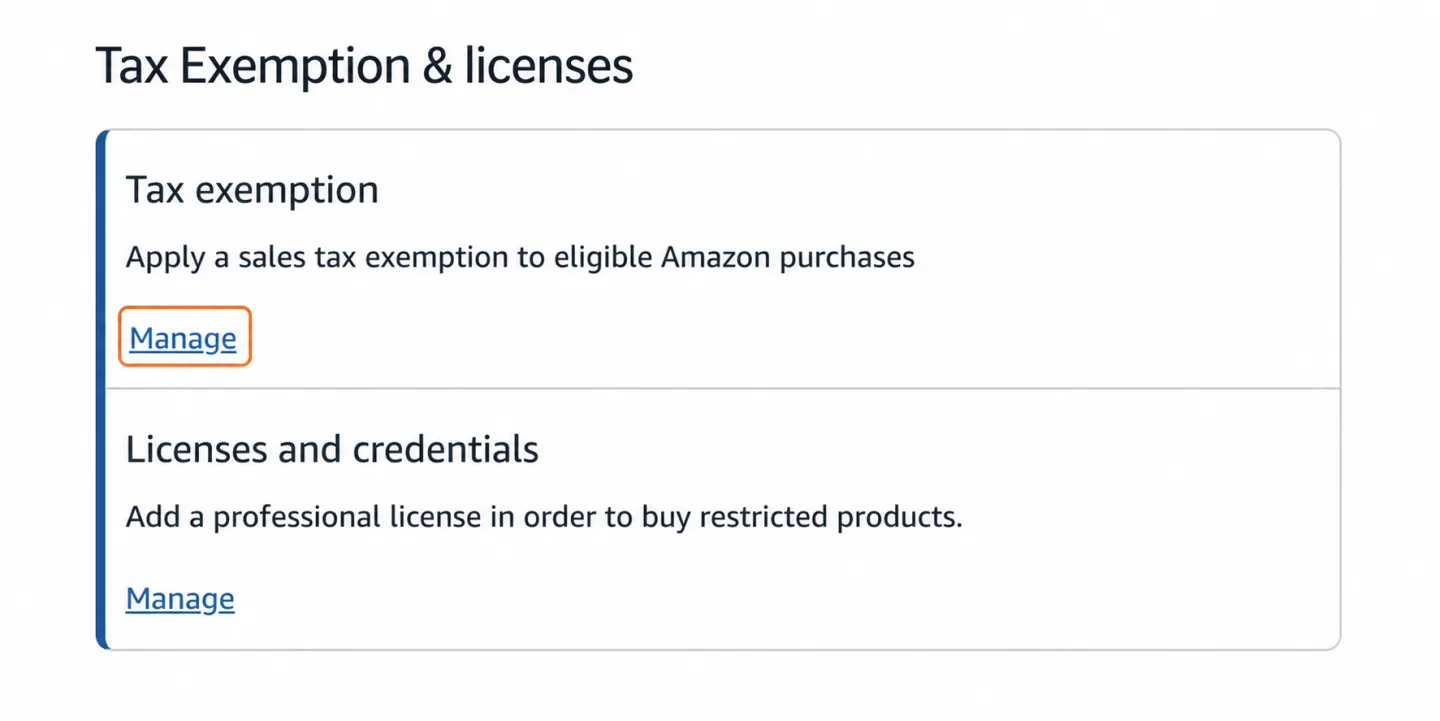
Open the Tax Exemption section in Business Settings
Sign in to Amazon.com with your Business account. From the account menu in the top right, go to Business Settings.
Under Tax Exemption & licenses, click Manage on the Tax exemption row.
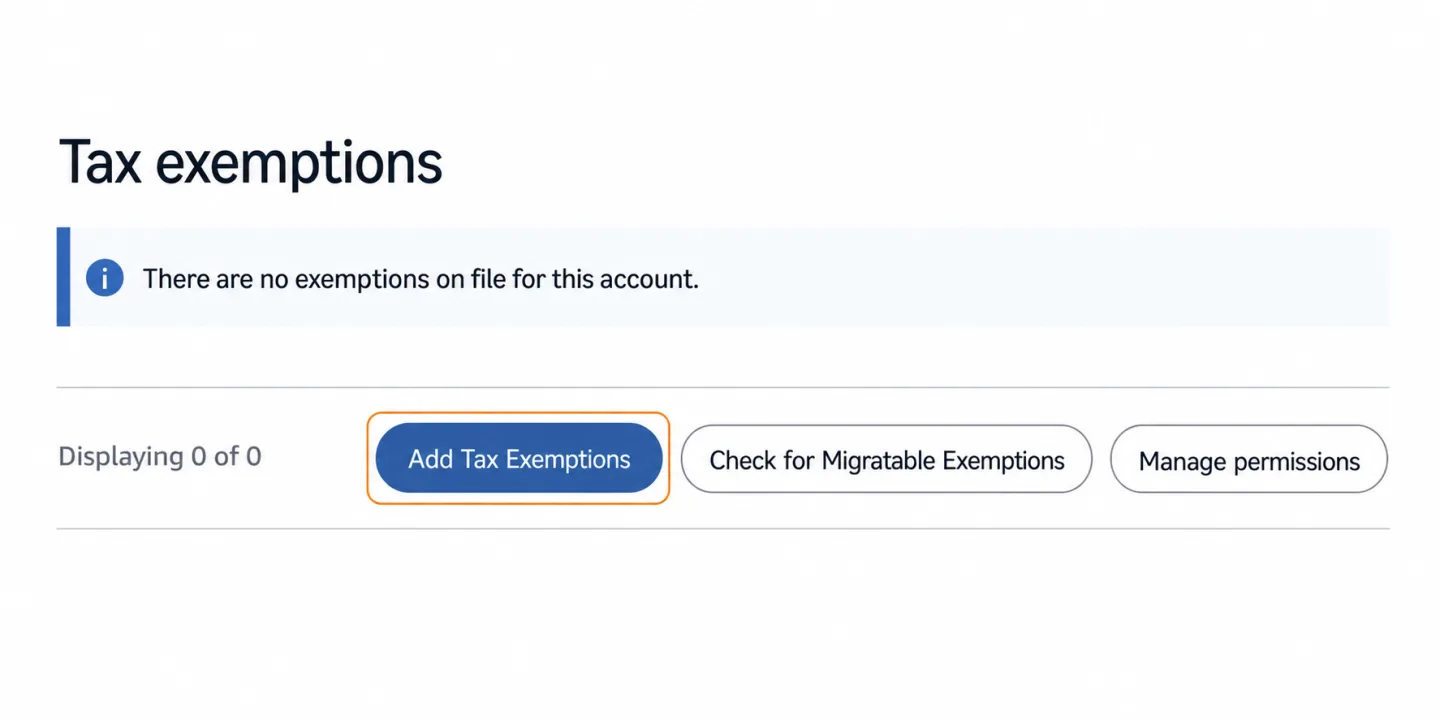
Start the application with Add Tax Exemptions
You'll land on the Tax exemptions page listing your existing exemptions. If you don't have any yet, you'll see the "There are no exemptions on file" notice.
Click the Add Tax Exemptions button.
If you already have a certificate on another Amazon account, you can bring it over with Check for Migratable Exemptions.
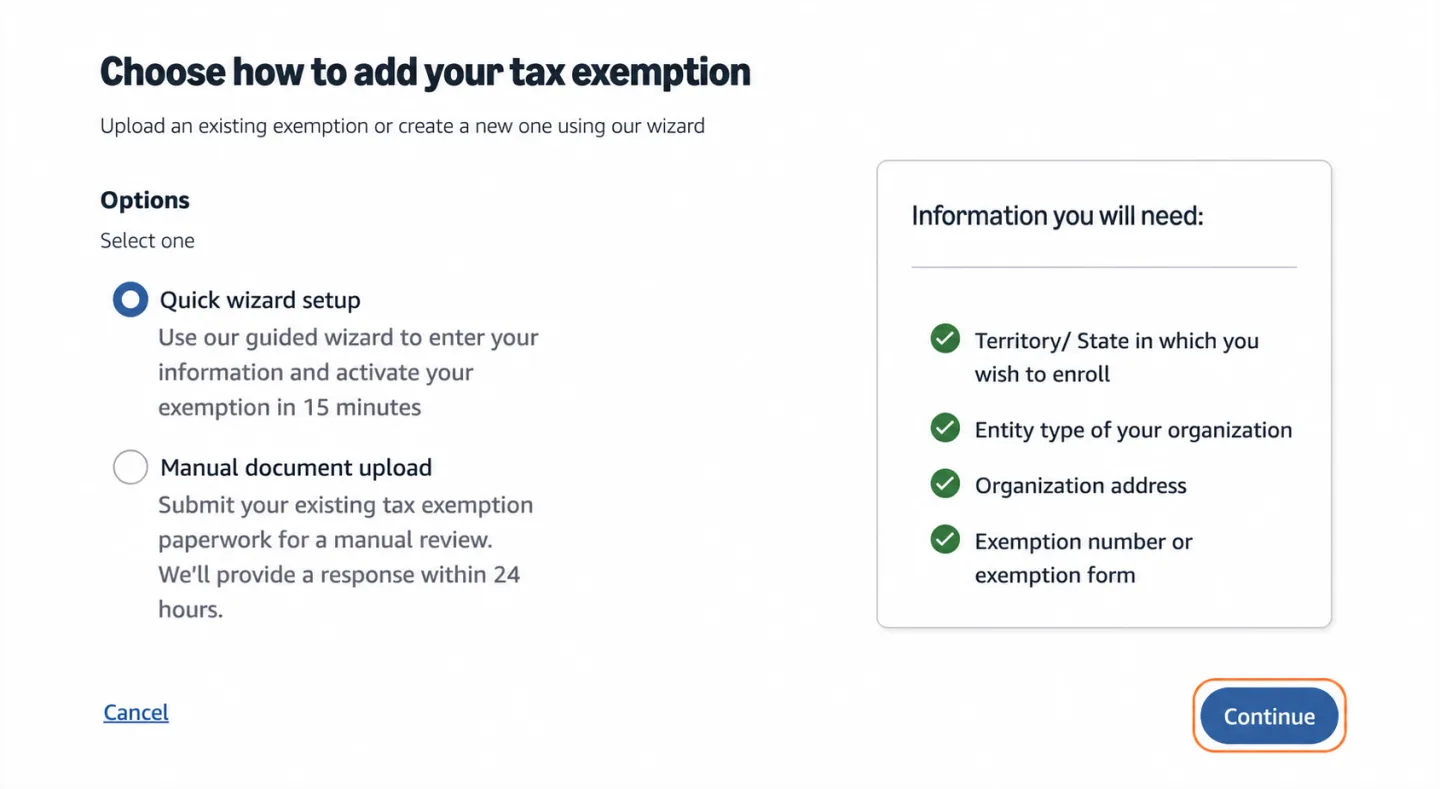
Choose Quick wizard setup
You'll see two options: Quick wizard setup walks you through entering your information and activates your exemption in about 15 minutes. Manual document upload lets you submit existing paperwork for a manual review within 24 hours.
If you don't already have a certificate, select Quick wizard setup and click Continue.
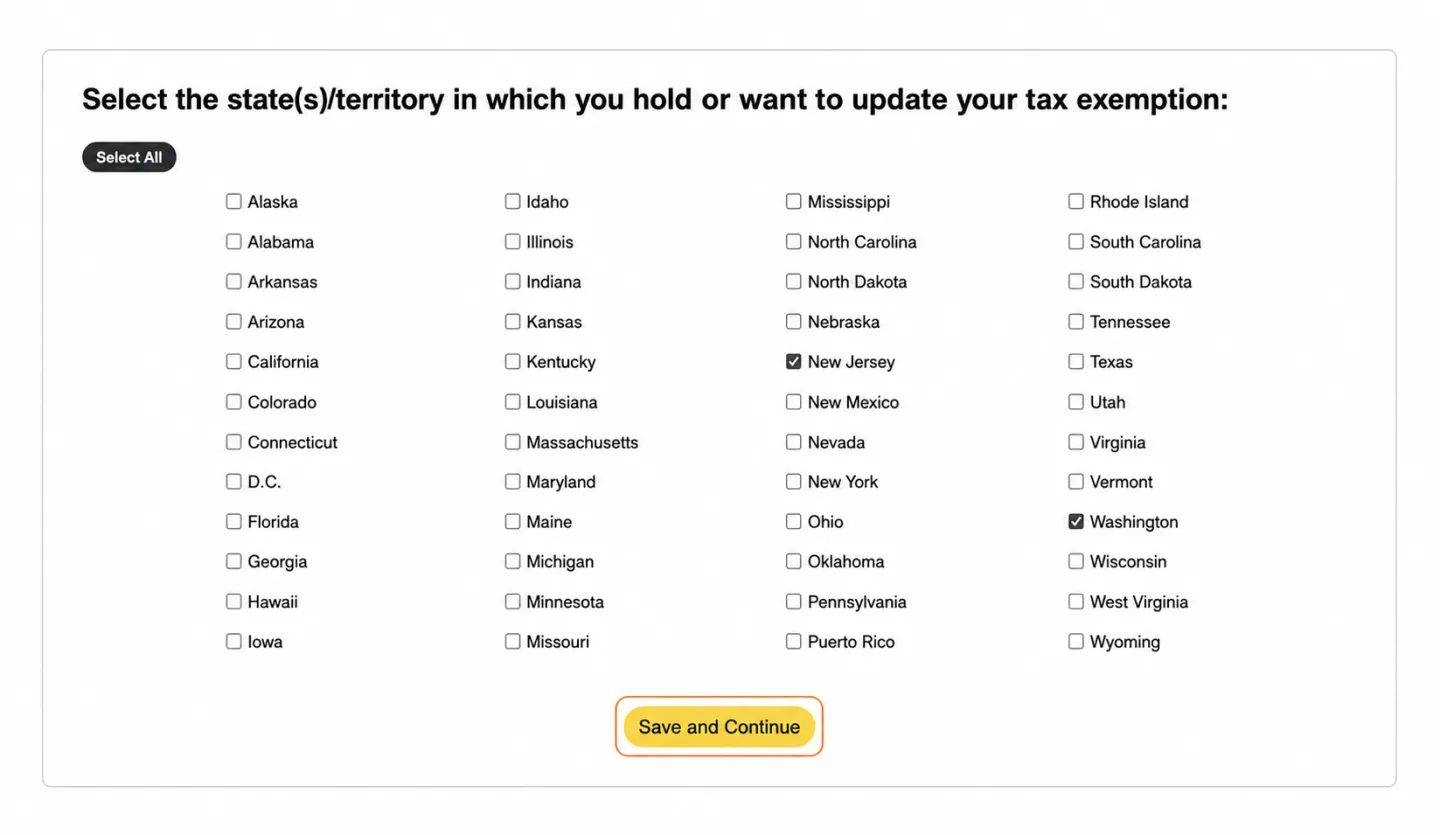
Select New Jersey and Washington together
Select the states where you hold or want to update your exemption. If you already have a New Jersey exemption, keep New Jersey checked and also check Washington.
This way a single certificate covers both warehouses. Click Save and Continue.
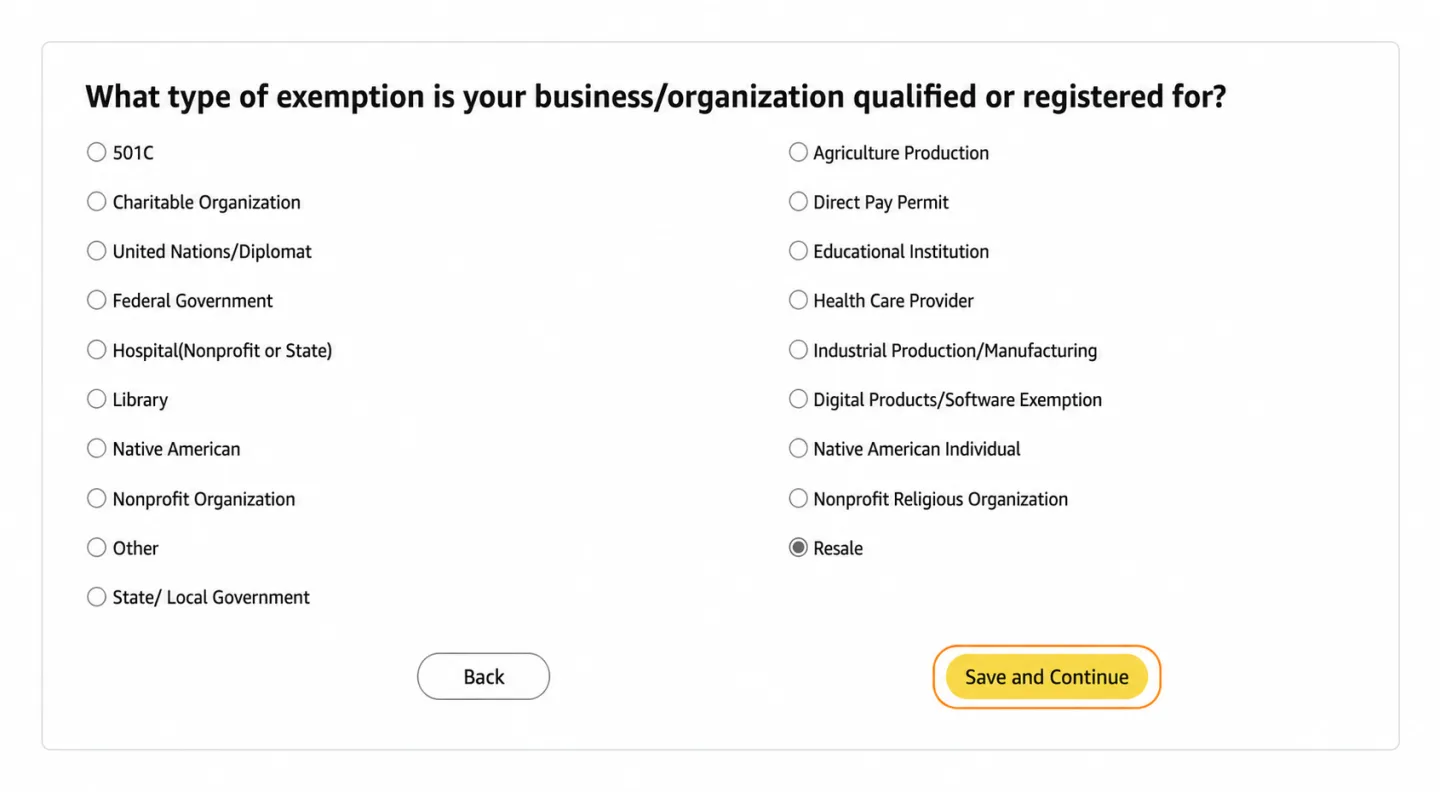
Pick Resale as your exemption type
In the dropshipping model you buy products in order to resell them, so your exemption type is Resale.
Select Resale and click Save and Continue.
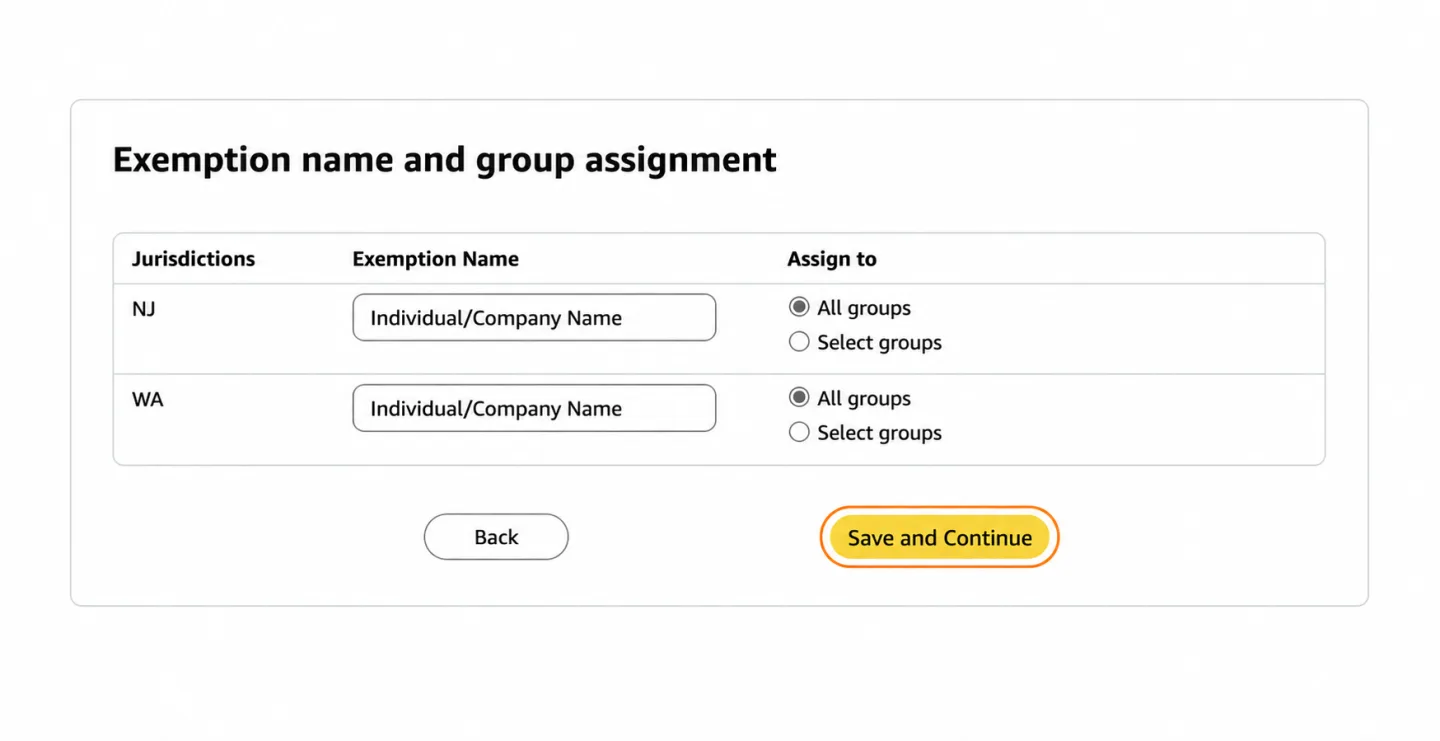
Enter the exemption name and assign groups
For each jurisdiction row (NJ and WA), enter the individual or company name that should appear on the certificate.
Under Assign to, we recommend All groups so every buying group on your account benefits from the exemption. Click Save and Continue.
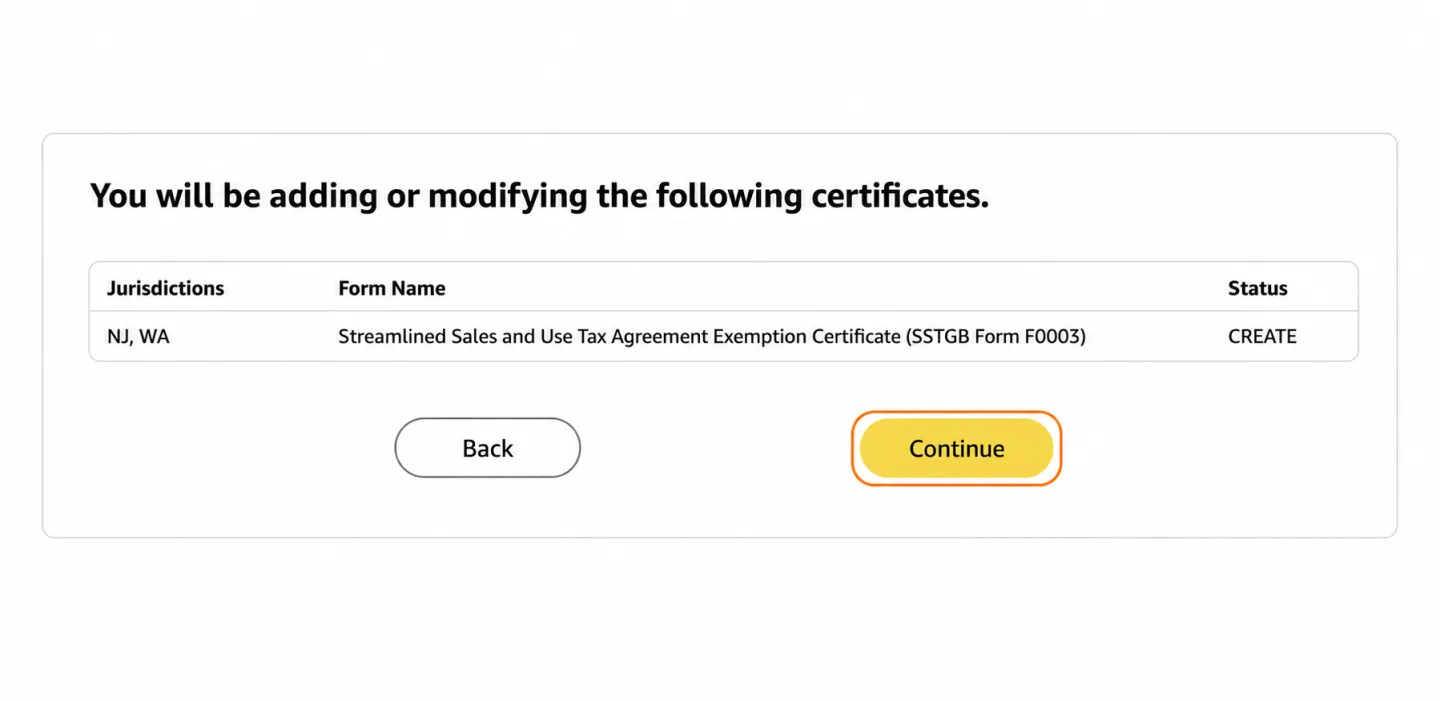
Verify the certificate to be created
Amazon generates a single form for both states: the Streamlined Sales and Use Tax Agreement Exemption Certificate (SSTGB Form F0003).
Confirm the Jurisdictions column shows NJ, WA, then click Continue.
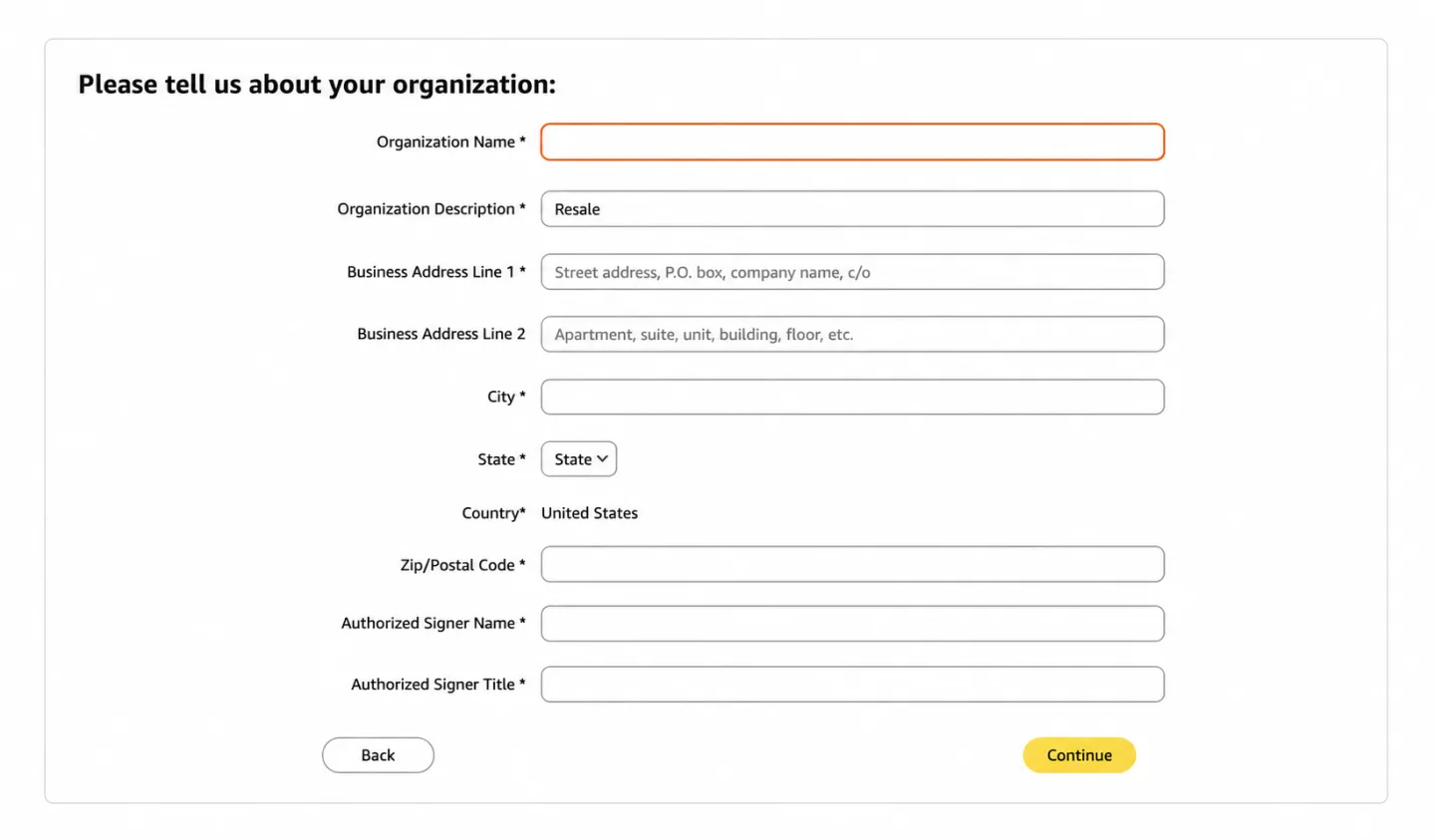
Fill in your organization details
Enter your legal company name (or your full name if you're an individual), the Resale description, your business address, city/state/zip, and the name and title of your Authorized Signer.
The wizard will also ask you for a tax ID: an EIN, a state tax registration number, or a driver's license / state-issued ID are all accepted. Make sure the name and address you enter are consistent with that document.
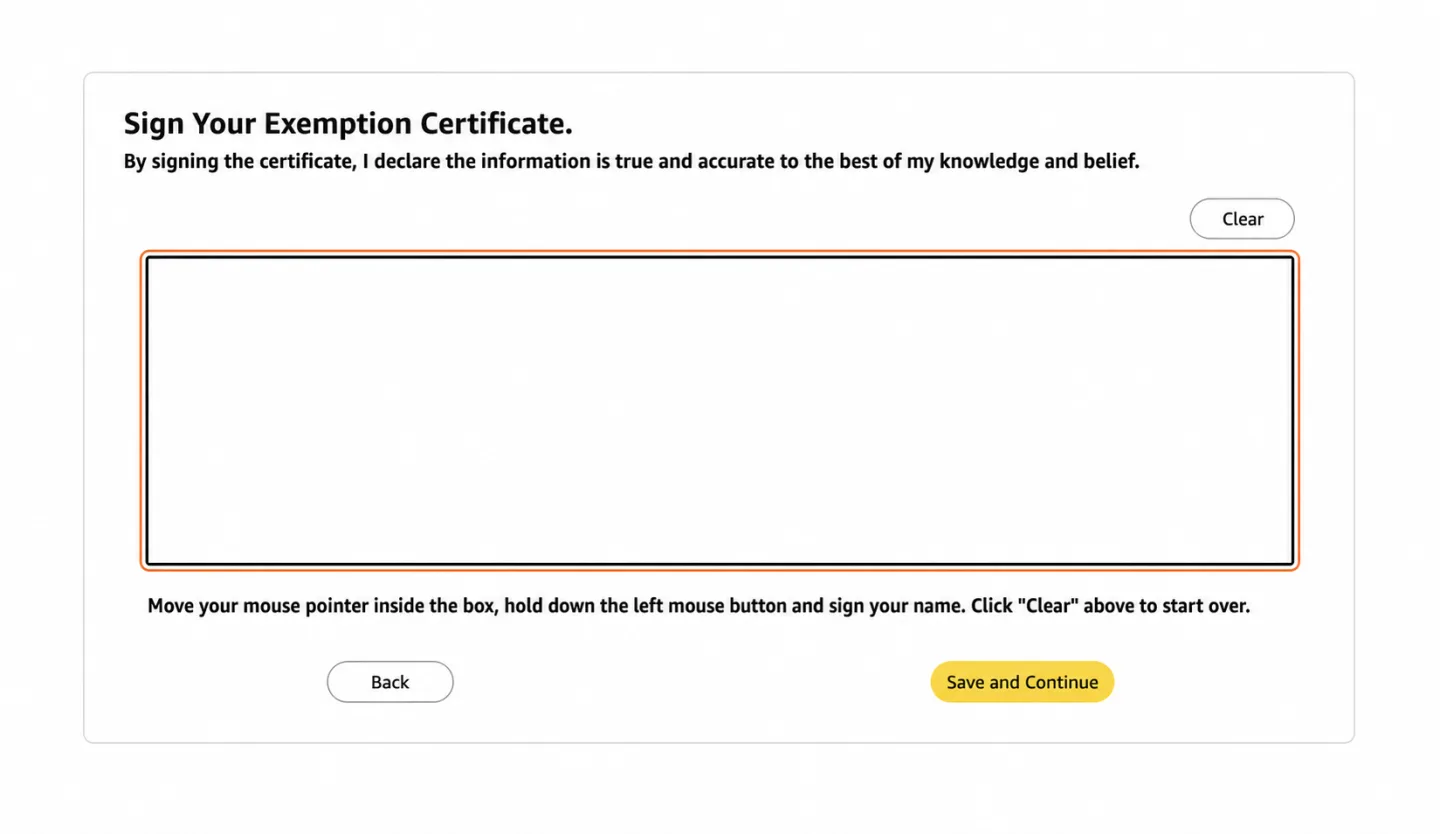
Sign your certificate
Draw your signature inside the box with your mouse (or your finger on a touchscreen). Click Clear to start over if needed.
Then click Save and Continue.
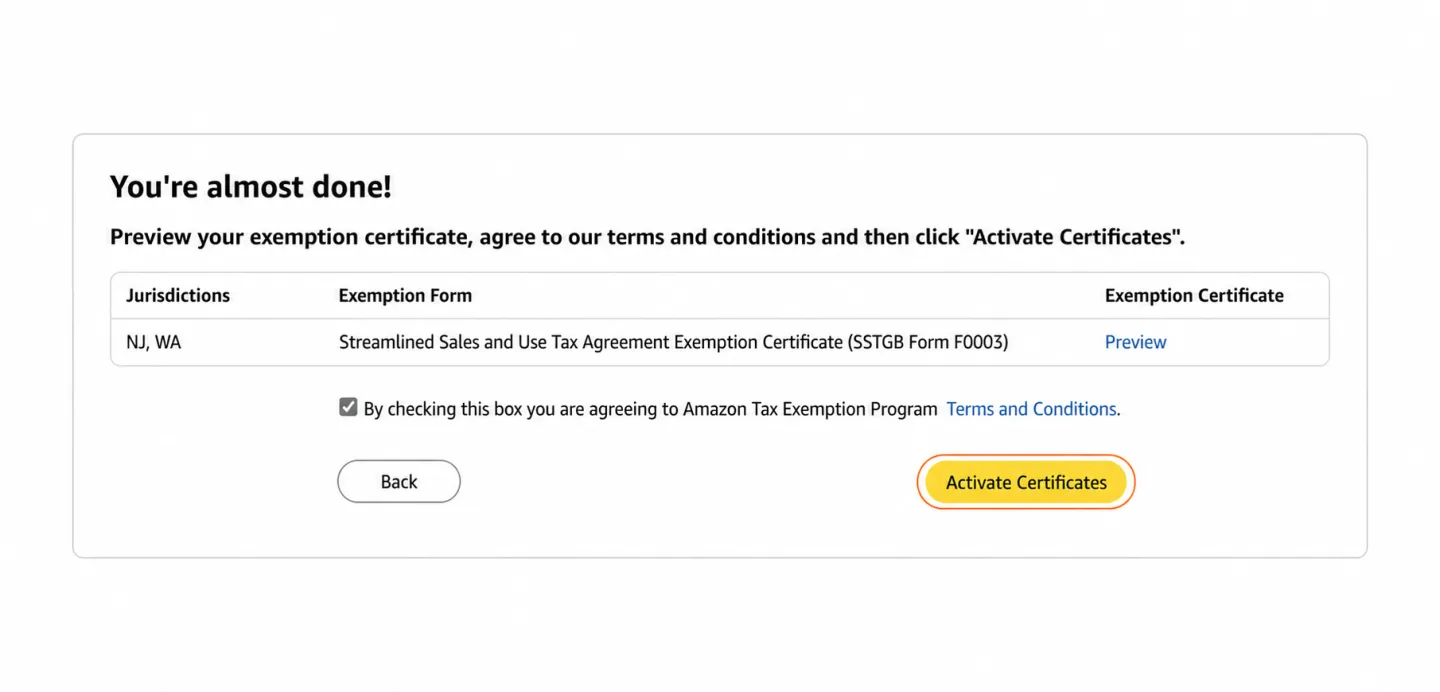
Preview and activate your certificates
Check the generated certificate PDF via the Preview link.
Tick the box agreeing to the Amazon Tax Exemption Program terms and conditions, then click Activate Certificates.
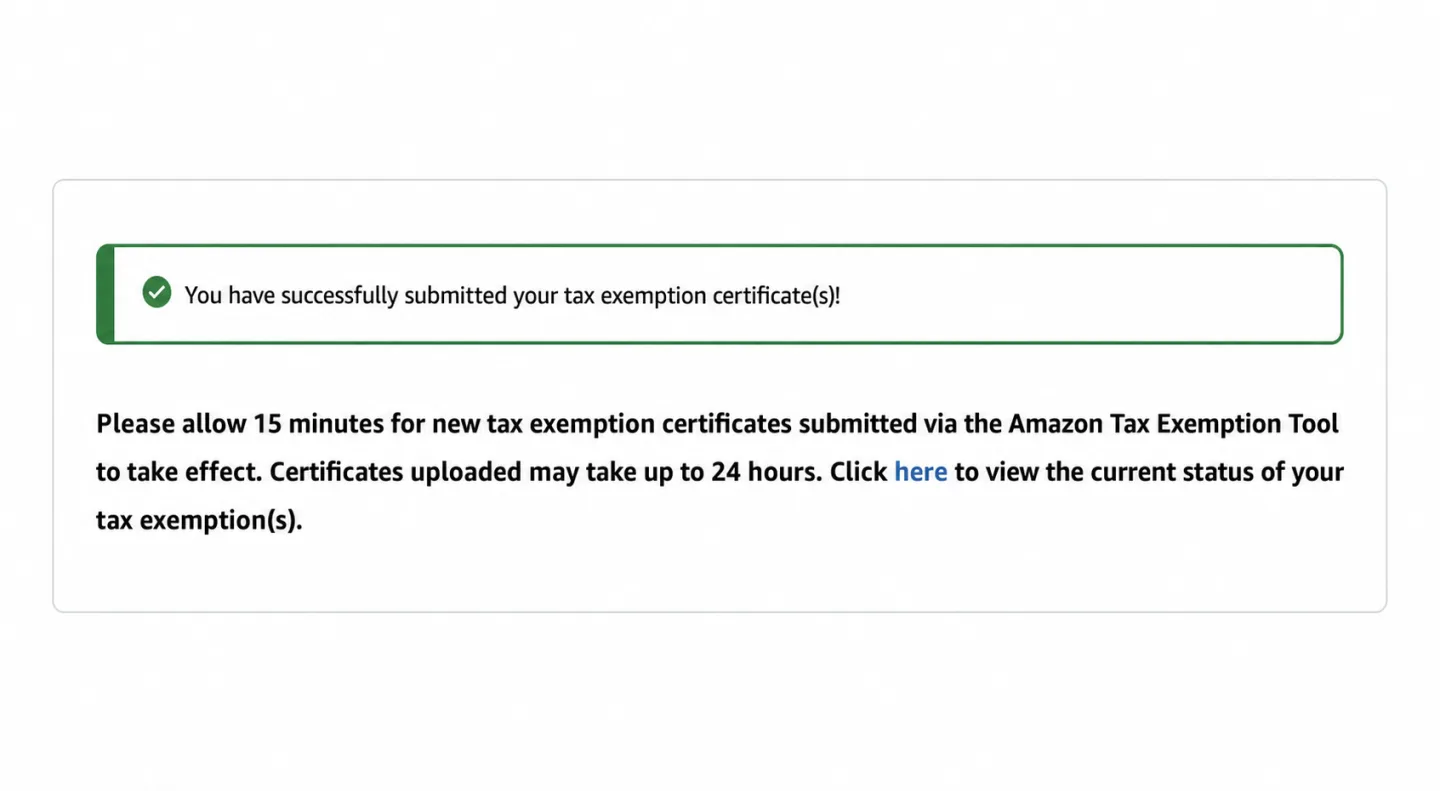
Done! Wait for activation
Once you see the success message, your application is complete. Certificates created with the wizard take effect in about 15 minutes; manually uploaded documents can take up to 24 hours.
You can track the status of your exemption from the link on the same page.
Don't place orders through the Seattle warehouse until your Washington exemption is active.
Things to watch out for
Activation first, orders second
Before placing your first order through Seattle, make sure your Washington exemption shows as active. Otherwise sales tax is added to your purchases and the difference comes out of your profit.
Use the right account
The exemption must be set up on the Amazon.com buying account you use for your SellerRunning orders.
Resale purchases only
The Resale exemption only applies to products you buy in order to resell. Using it for personal purchases can result in liability for the unpaid tax with interest, plus additional penalties.
Keep your details consistent
The company name, address and tax ID (EIN, state registration, or driver's license / state ID) on the certificate should be consistent with each other and with your Amazon account details.
Useful resources
Official Washington State Department of Revenue references on sales tax exemption:
The official explanation of how resale exemption works in Washington State
Washington DOR's official form for non-resale exemption categories — resale purchases are covered by the SSTGB F0003 certificate that Amazon's wizard creates for you
This page is for informational purposes only and is not tax advice. Consult a tax professional about your specific situation.
Your exemption is ready — so are your warehouses!
Once your certificate is active, you can route your orders through both New Jersey and Seattle. If you have any questions, reach out to us anytime at [email protected].